Template Literals in JavaScript

Hey there, young coders! Welcome to our fun guide. Today, we're going to learn two super cool tricks in JavaScript that make writing code much easier—like sorting your favorite toys!
Let's dive in.
Part 1: Template Literals (The "Sentence Builder")
Imagine you have a magic sentence where you can swap out words whenever you want. That's a Template Literal!
1. The Old Way (The Messy Way) Before this trick, joining words and names was like building a messy train. You had to use lots of plus signs + and quotes " ". It looked like this:
"Hi " + name + ", welcome!"
It was really easy to make mistakes and forget a space! Imagine HiAlex instead of Hi Alex. Oops!
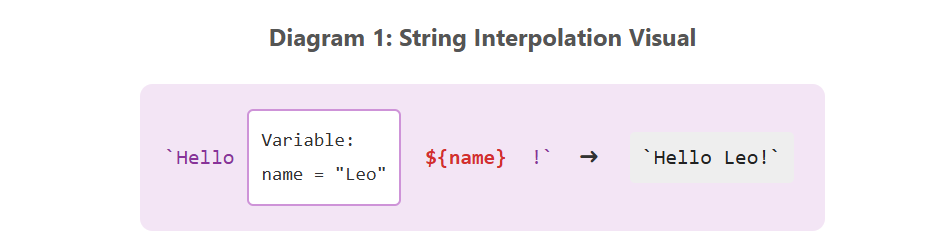
2. The New Way (The Easy Way) Now, we use a special kind of hug called backticks (the ` key next to the number 1). Inside these backticks, we use a special box ${ } to drop in our variables (like names). It's like a "Fill-in-the-Blanks" game!
Hi ${name}, welcome!
Look! No messy plus signs! It's just a clean, easy-to-read sentence.
3. Multi-line Strings In the old days, you couldn't just hit the "Enter" key to start a new line. But with backticks, you CAN!
You can write a whole story or poem inside them, and JavaScript will keep it exactly how you typed it. Like this:
Line one
Line two
Line three
Summary: Old vs. New
| Feature | Old Way (Concatenation) | New Way (Template Literals) | |
|---|---|---|---|
| Basic Sentence | "Hi " + name + "!" |
Hi ${name}! |
Readability: MUCH easier to read the new way! |
| New Lines (Enter) | Not allowed (errors!) | Yes, just press Enter! | |
| Complexity | Hard to keep track of spaces and pluses. | Simple and clean. Like writing a letter. |
Part 2: Array Flattening (The "Pancake" Trick)
Imagine you have a big toy box. Inside, you have small boxes of LEGOs. And inside those small boxes, there are tiny treasure boxes! It's messy!
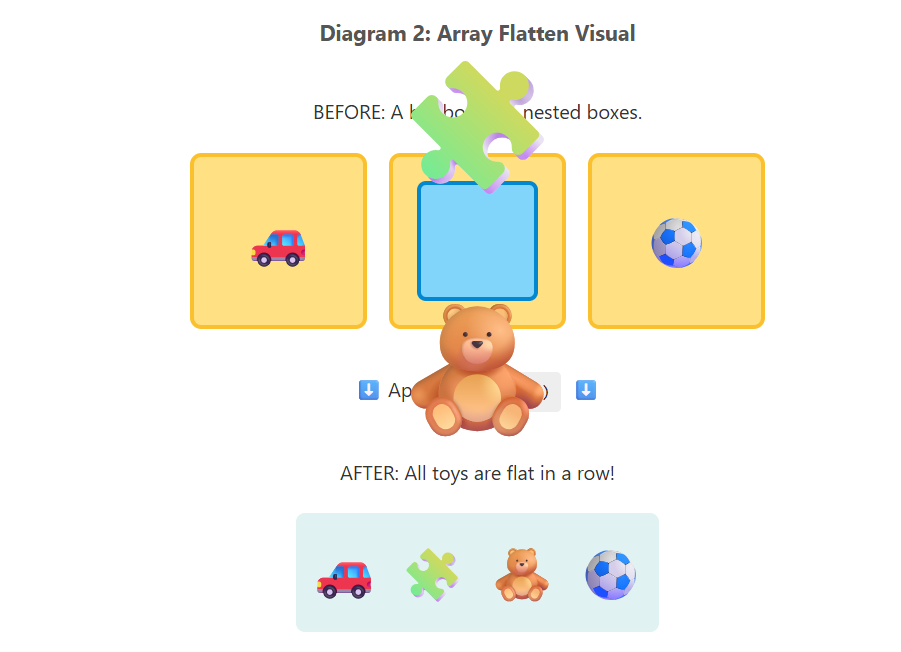
Flattening is when we take all the toys out of EVERY box and lay them all flat on the floor in one straight line.
1. How we do it
In JavaScript, we use a special command called .flat(). Let's see it in action:
Before: [1, [2, 3], 4] (A number, then a box with numbers, then another number)
After flattening: [1, 2, 3, 4] (Everything is in one line, no more boxes!)
2. Digging Deeper
Sometimes boxes are inside boxes, inside boxes, inside boxes! If you just use .flat(), it only opens the first layer of boxes.
If you want to open two layers of boxes, you use: .flat(2).
If you want to open every single box, no matter how deep, you use: .flat(Infinity).
It's that easy!


